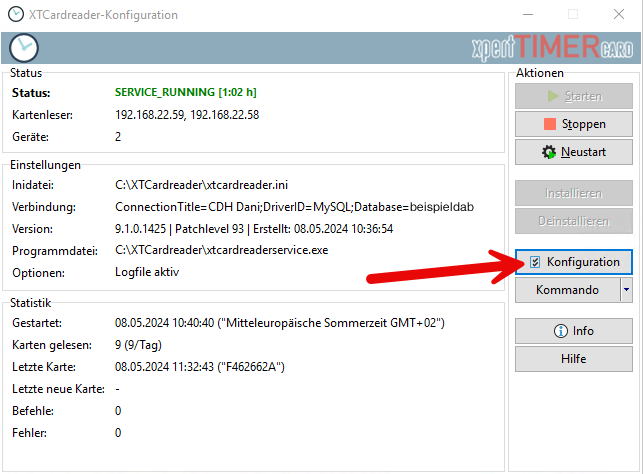
First, connect the XTCardreader to a database. Open the configuration in the XTCardreader application:
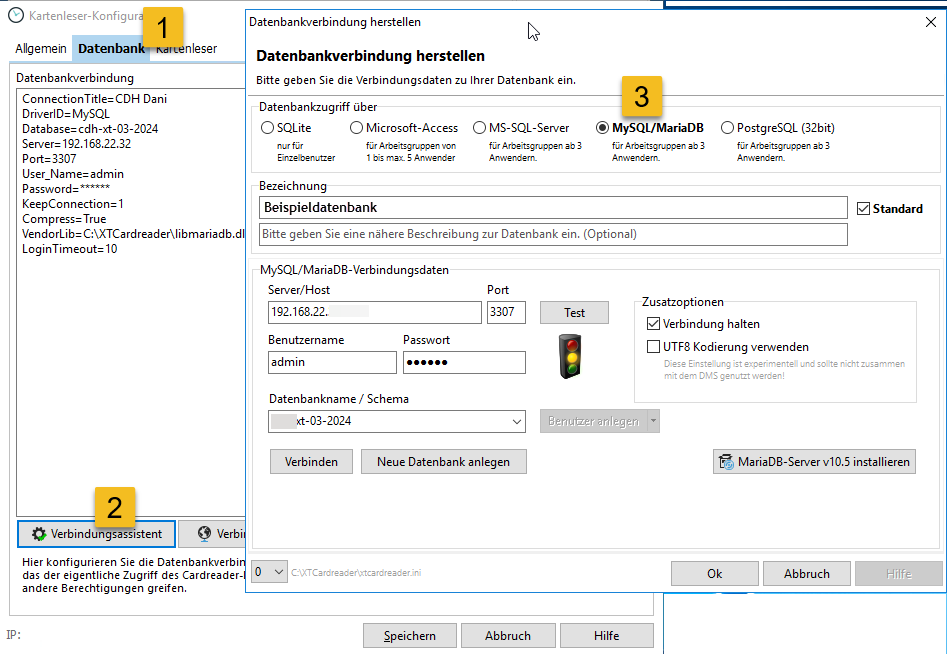
In the configuration, switch to the “Database” tab and configure the connection to your XTAze or XTPro database. The system supports Microsoft SQL Server, PostgreSQL, and MariaDB/MySQL. The database connection must be established using a username and password. Windows authentication is not supported.
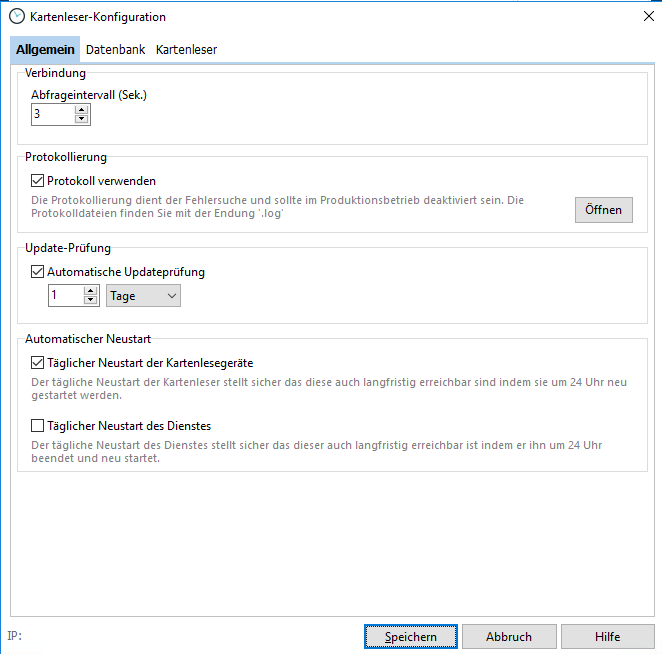
In the “General” tab, define the polling interval between the card reader and the database. The default value is 3 seconds. If you do not need immediate access to newly recorded time stamps, you can increase this interval.
Enable logging to analyze issues or transmission errors within the system.
Once the system is running reliably, it is recommended to set the update check interval to 60 days.
The Datafox manufacturer recommends a restart at midnight to ensure that all connected devices remain reachable. During this restart, the system time is also synchronized.
If problems occur with the service, you can enable an automatic daily service restart.
The “Card Readers” tab provides an overview of all card readers currently connected to the system.
